Announcing: Arkham Intel Mobile App
January 20, 2026
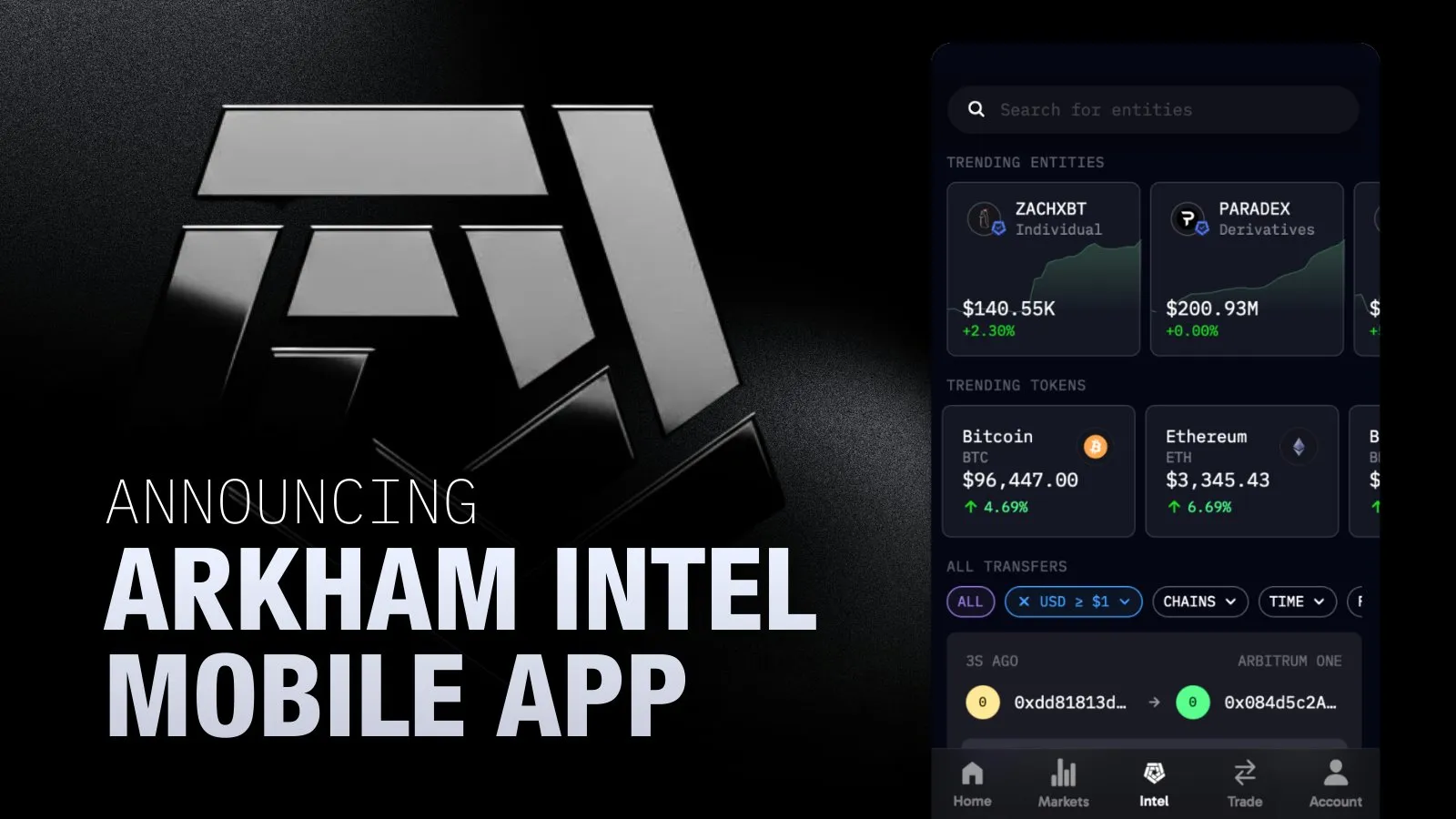
You now have complete access to Arkham’s entity labels and addresses - giving you all the power of the Arkham Intel platform, in the palm of your hand. Look at the wallets and transactions of successful traders, celebrities, companies like Strategy & Tesla, Donald Trump, the Bitcoin/ETH ETFs - and much, much more. Only on Arkham.
BROWSE ARKHAM ENTITY PROFILES & BILLIONS OF LABELLED ON-CHAIN ADDRESSES
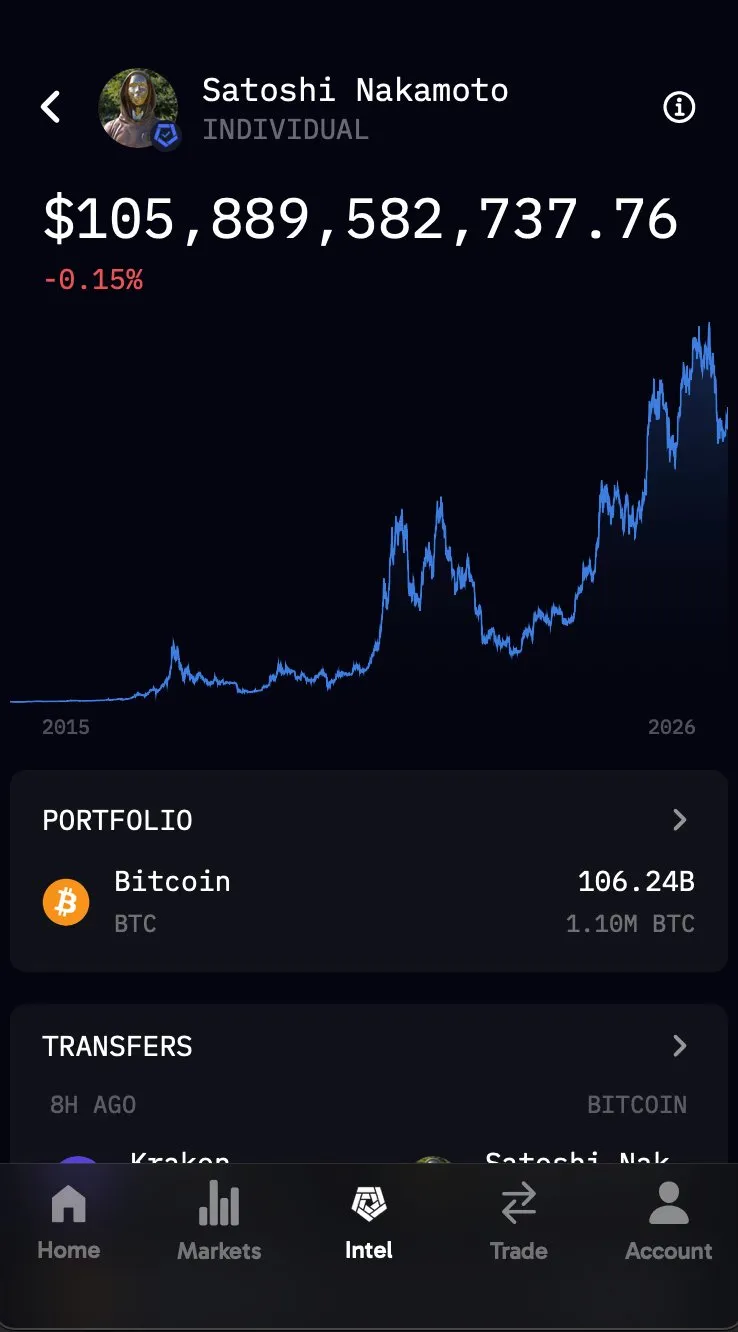
Every single entity or address has a built-in portfolio, which shows a full breakdown of all crypto assets held by that wallet on supported chains, with balances updated in real-time.
You can also see a balance history graph, showing how that entity or address's net worth has evolved over time. Use it to spot top performing traders, ETF flows & monitor exchange reserves.
TRANSACTION ANALYSIS & BLOCK EXPLORER
Transfers show a history of transactions made by that entity or address.
Filter by USD value, sender, recipient, inflow/outflow & more - to quickly find what you’re looking for.
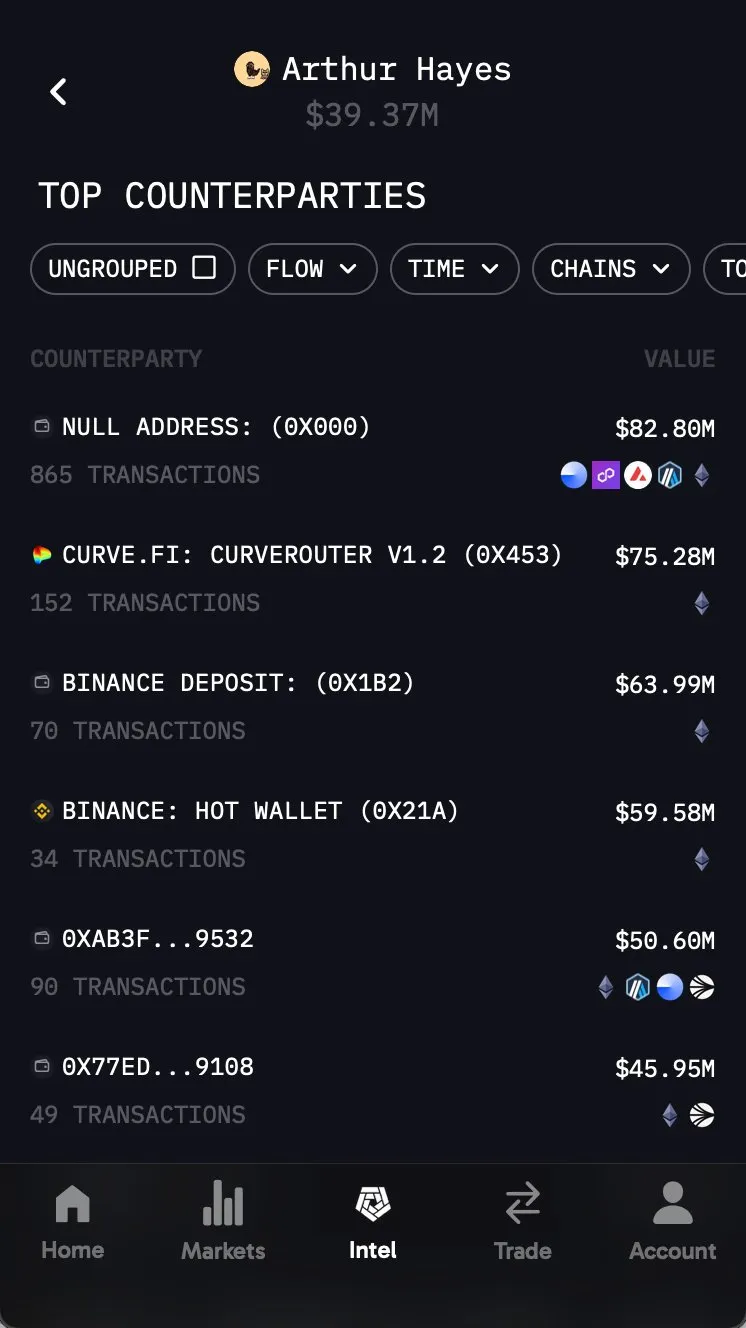
Additionally, Counterparties shows the highest-volume counterparties that the address/entity you’re analyzing interacts with, along with the total USD volume transferred between them.
ON-CHAIN TOKEN ANALYTICS: FOR BOTH ESTABLISHED & FRESHLY LAUNCHED PAIRS
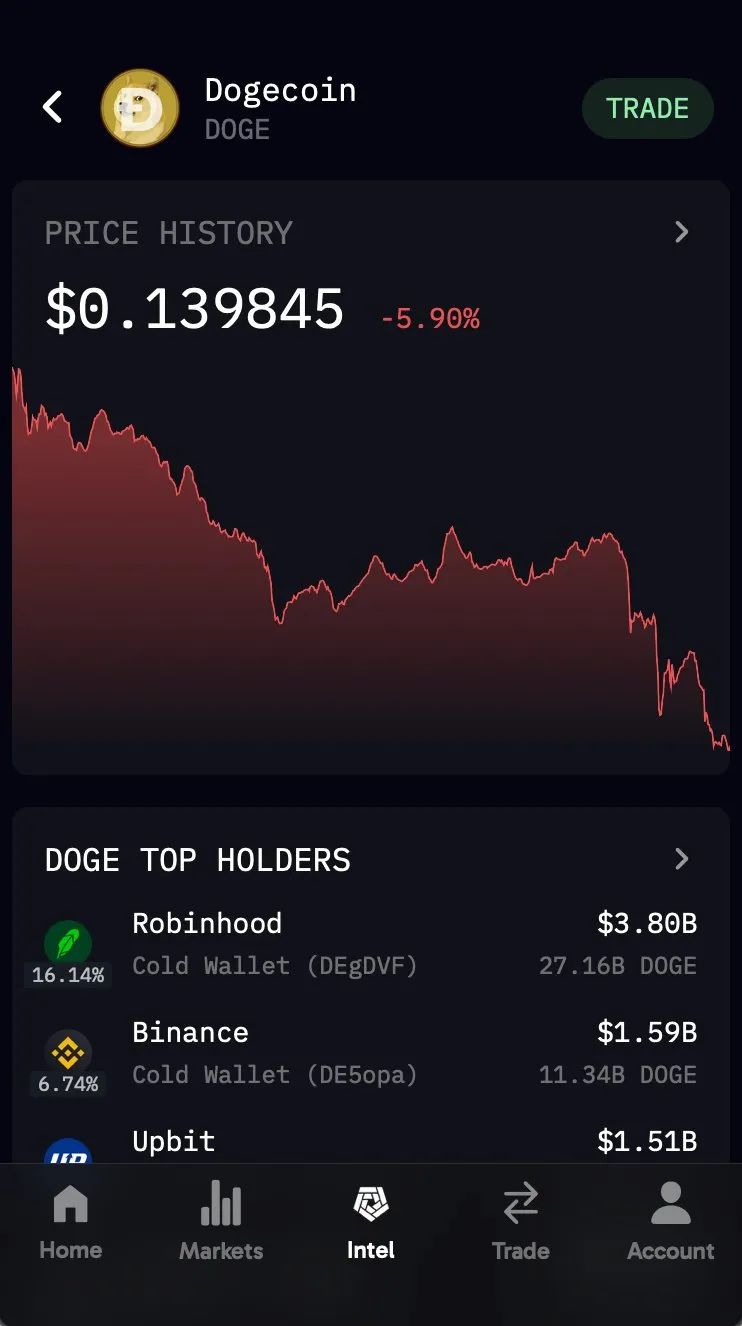
Token pages include a Price History view that displays the full price chart, along with recent percentage changes and essential on-chain metadata like circulating supply and market metrics.
Additionally, Top Holders shows the largest wallets holding the token, and how much of that token they hold. Use these pages to do due diligence before entering a new position.
NAVIGATE AROUND THE MOBILE APP:
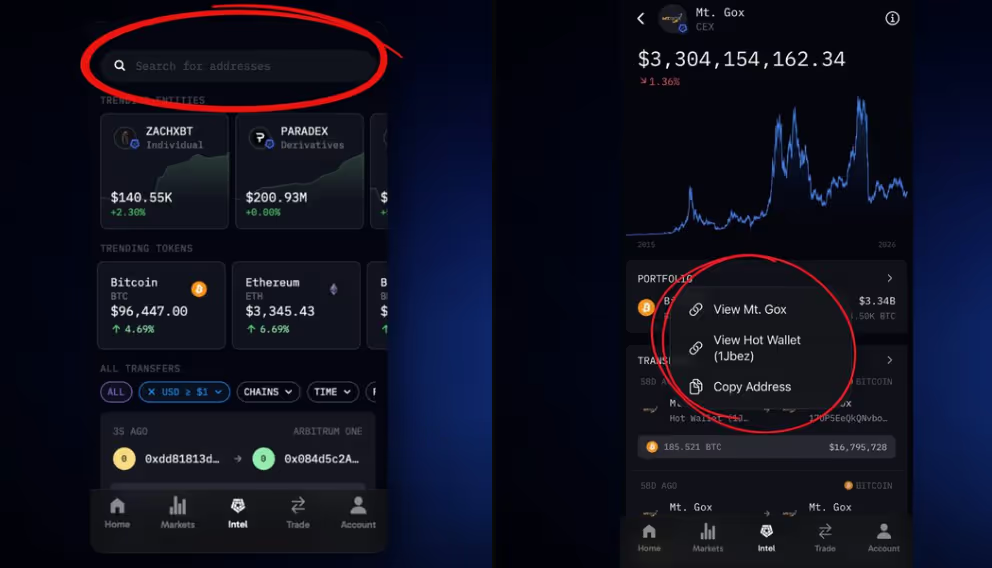
Once you open the App, tap on the Search Bar and look for any entity, address or token you’re interested in.
Tap on any transaction anywhere on the App - it’ll open a menu from which you can visit the profile page of either entity/address involved in that txn, or copy the address you’ve clicked on.
DOWNLOAD THE ARKHAM MOBILE APP
Existing Arkham mobile users should update the Arkham mobile app, and then close and reopen the app to see Intel on the bottom navbar.
For new Arkham mobile users, download the Arkham Mobile App on iOS or Android. Links available here: