How to Use the Arkham API with AI Agents
April 27, 2026

We just shipped a new section of our API docs. It helps you connect Claude directly to Arkham's on-chain intelligence without writing a single line of code yourself.
Here's the full setup in 6 steps:
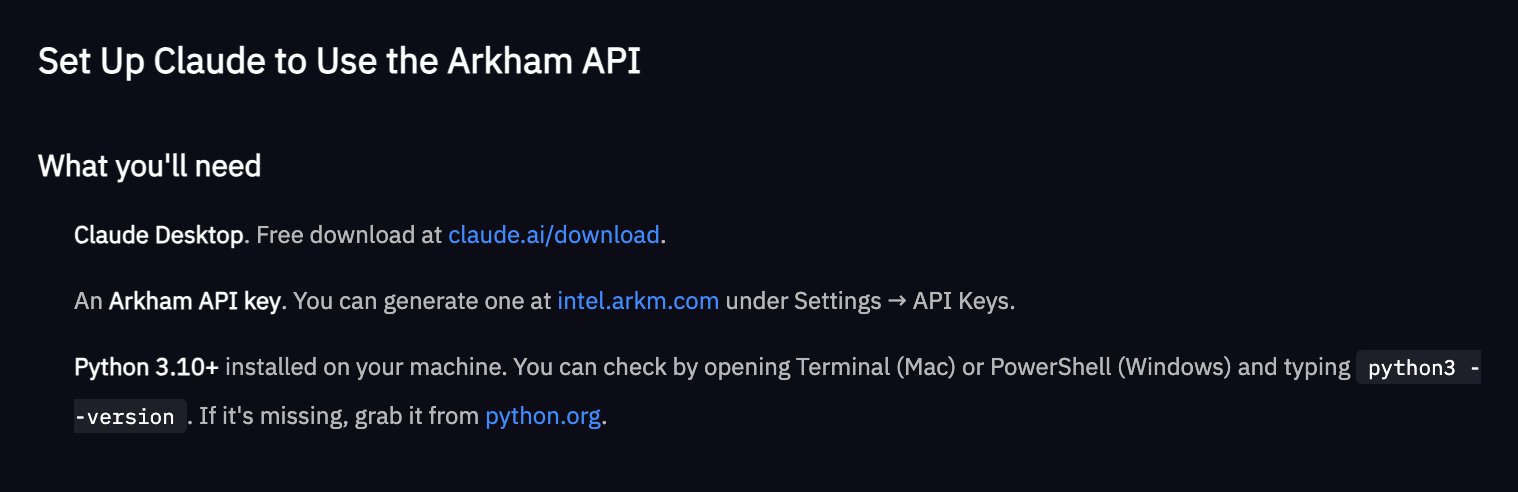
Step 1: Download the tools
Download Claude Desktop (free) and generate an Arkham API key at intel.arkm.com under Settings / API Keys.
[Note: The API is available by application - read to the end of this thread for the link]

Step 2: Build the MCP server (Claude does this for you)
Open Claude and paste the setup prompt from our docs. Claude will generate a Python file and tell you exactly where to save it.

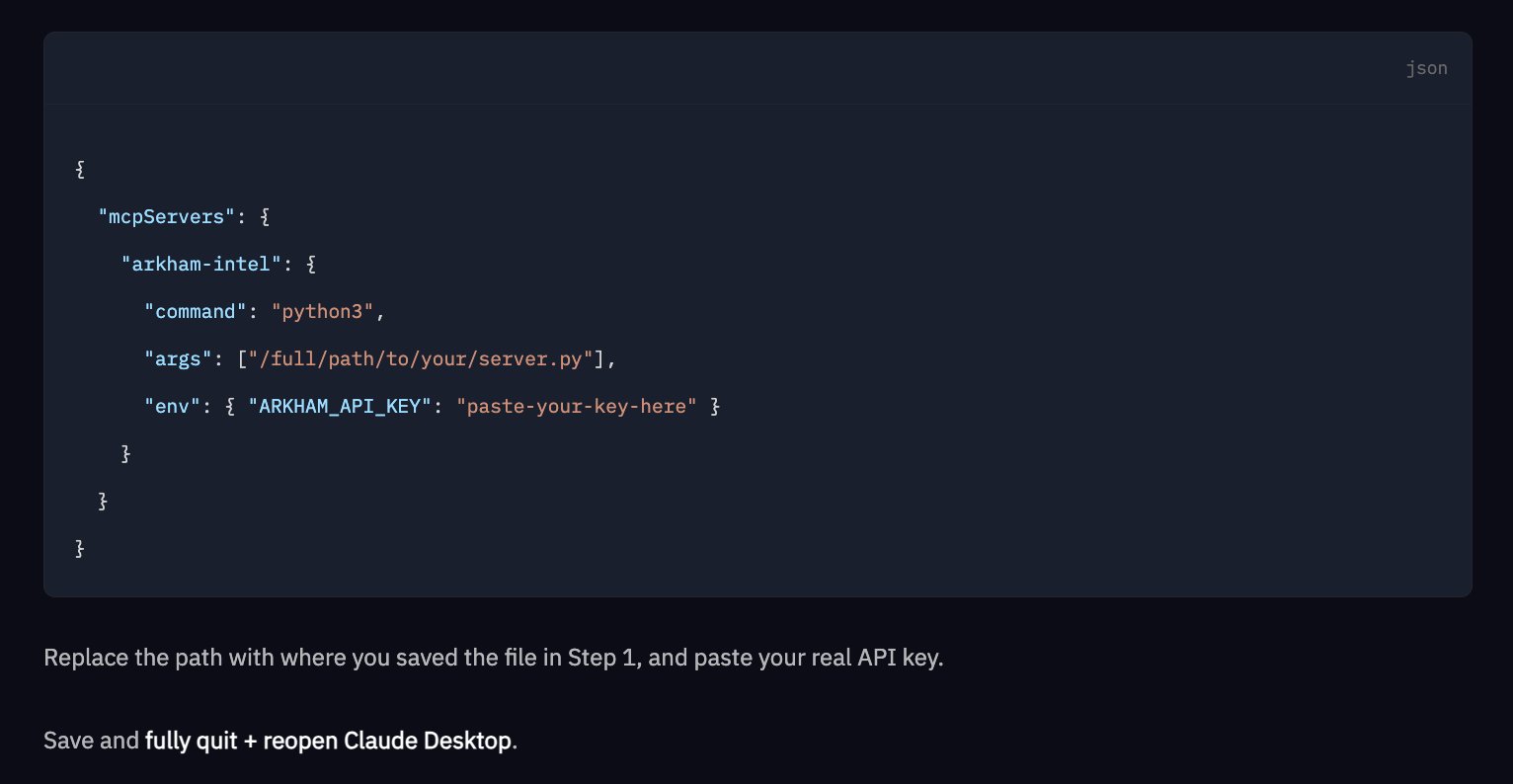
Step 3: Install dependencies and connect it to Claude Desktop
Run this command in Terminal: pip install mcp requests.
Then, add a short JSON config pointing to your server file and API key. Save, quit, reopen.
Step 4: Create a Claude Project
Name it "Arkham API Assistant." Add http://intel.arkm.com/llms.txt as project knowledge - this gives Claude the full, always-current API reference in one URL.

Step 5: Start asking questions
Ask Claude things like "Pull the top 10 counterparties for Binance's hot wallet on Ethereum over the last 7 days".
It will tell you which endpoint it's hitting, make the live API call, and return results directly in chat.

Some examples of things you can do with the Arkham API:
- Traders: Build a trading bot that uses Arkham’s entity data to inform trading heuristics
- Compliance: Automated fraud detection through transaction monitoring
- KYC: Integrating Arkham labels into your organisation’s KYC/AML rules
- Wealth Management: Monitoring yours or clients’ addresses in one place
- Treasury/Liquidity Management: Building a complete picture of your company’s on-chain treasury at any given point
- Financial Reporting/Accounting: For annual tax purposes

The entire Arkham API docs are also available as a single machine-readable file at the link below:
http://intel.arkm.com/llms.txt
Hand that URL to Claude, Cursor, Copilot, or any other coding agent to provide immediate context on the Arkham API.
Sign up for Arkham API trial access here.