October 13, 2026
at
8:45 am
EST
MIN READ
How To Read Blockchain Transactions
Summary
- A blockchain transaction is a signed instruction that moves value or triggers code on a public network. Once the network includes it in a block, the record stays visible to anyone and cannot be edited or withdrawn.
- Every transaction carries the same core fields: a hash (TXID), sending and receiving addresses, an amount, a fee and a status.
- Anyone can paste a TXID into a block explorer and verify any transaction for free.
- Arkham attaches entity names to addresses, so a reader can see which exchange, fund or individual sits on each side of a transfer.
What Is a Blockchain Transaction?
A blockchain transaction is a signed message from one address telling the network to move an asset or run a piece of contract code.
On a public blockchain, every transaction made is saved onto the blockchain. Nobody has to trust the people making the transactions or the validators securing the network, because any user can read the chain themselves to verify that all transactions are valid.
Look up any transaction on a block explorer and the page shows a status, the sender and receiver addresses, the value transferred, a timestamp, the fee paid, and the block height. Put plainly, every transaction answers six questions:
- Sender: Which address that signed and paid for it.
- Recipient: Which address or contract it was sent to.
- Amount: How much of which asset(s) moved.
- Fee: What the sender paid the network to process it.
- Timestamp: When the block containing it was produced.
- Transaction hash: Its unique ID, also called a TXID. On Ethereum, it is typically 64 hexadecimal characters and prefixed with 0x, although this format differs on different chains.
A TXID works like a parcel tracking number with one core differentiator: the number is calculated from what is inside the parcel. Alter a single detail in the transaction and the resulting TXID changes, so one TXID can never point to two different payments.
Transactions come in two broad types. A simple transfer sends a coin from one address to another and is easy to read. A smart contract interaction, such as a swap, a bridge deposit or a token approval, is addressed to a smart contract instead of an individual. As a result, there tends to be more moving parts under the hood as well. Hence, these look different on a block explorer and are covered in further detail in the sections below.
The Anatomy of a Blockchain Transaction
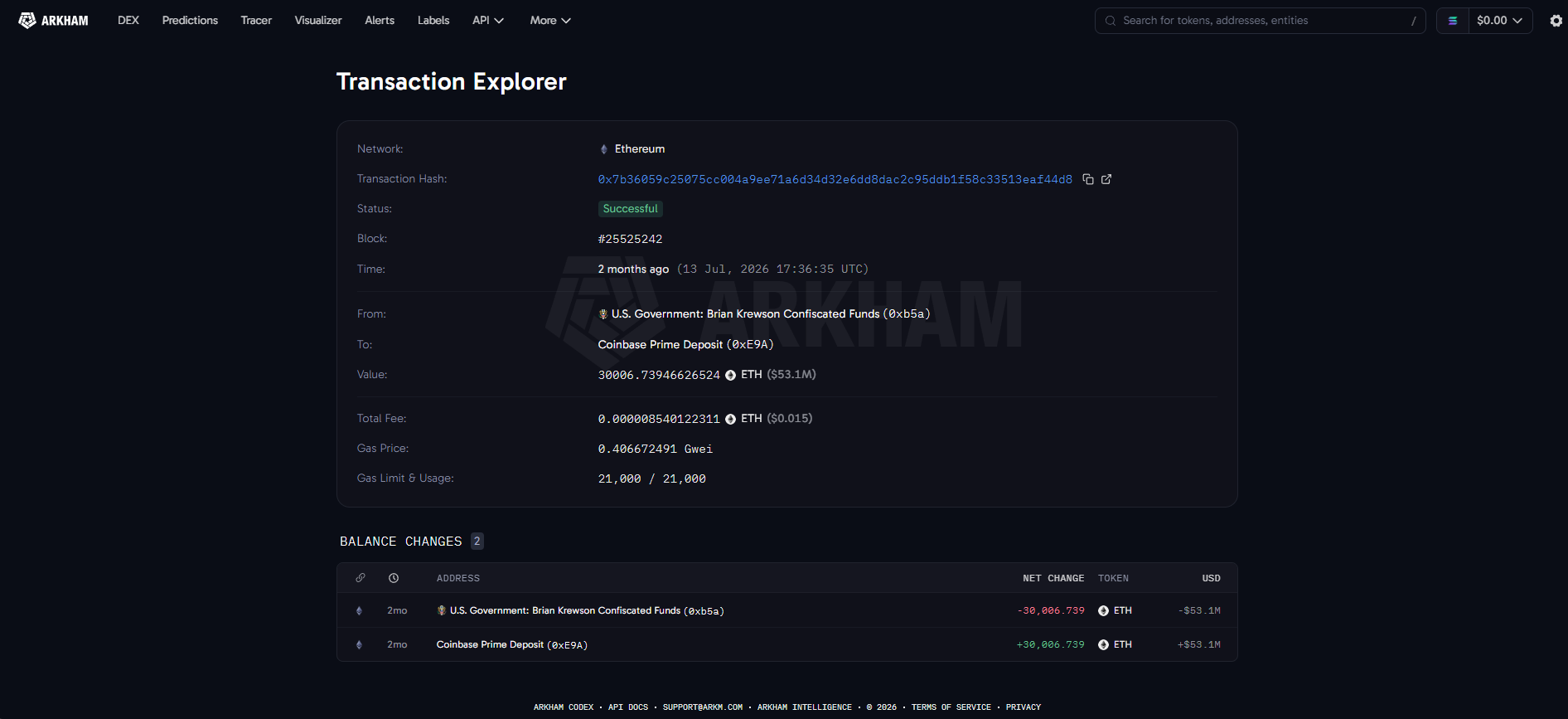
Open any transaction on Arkham and the page breaks down into the following parts.
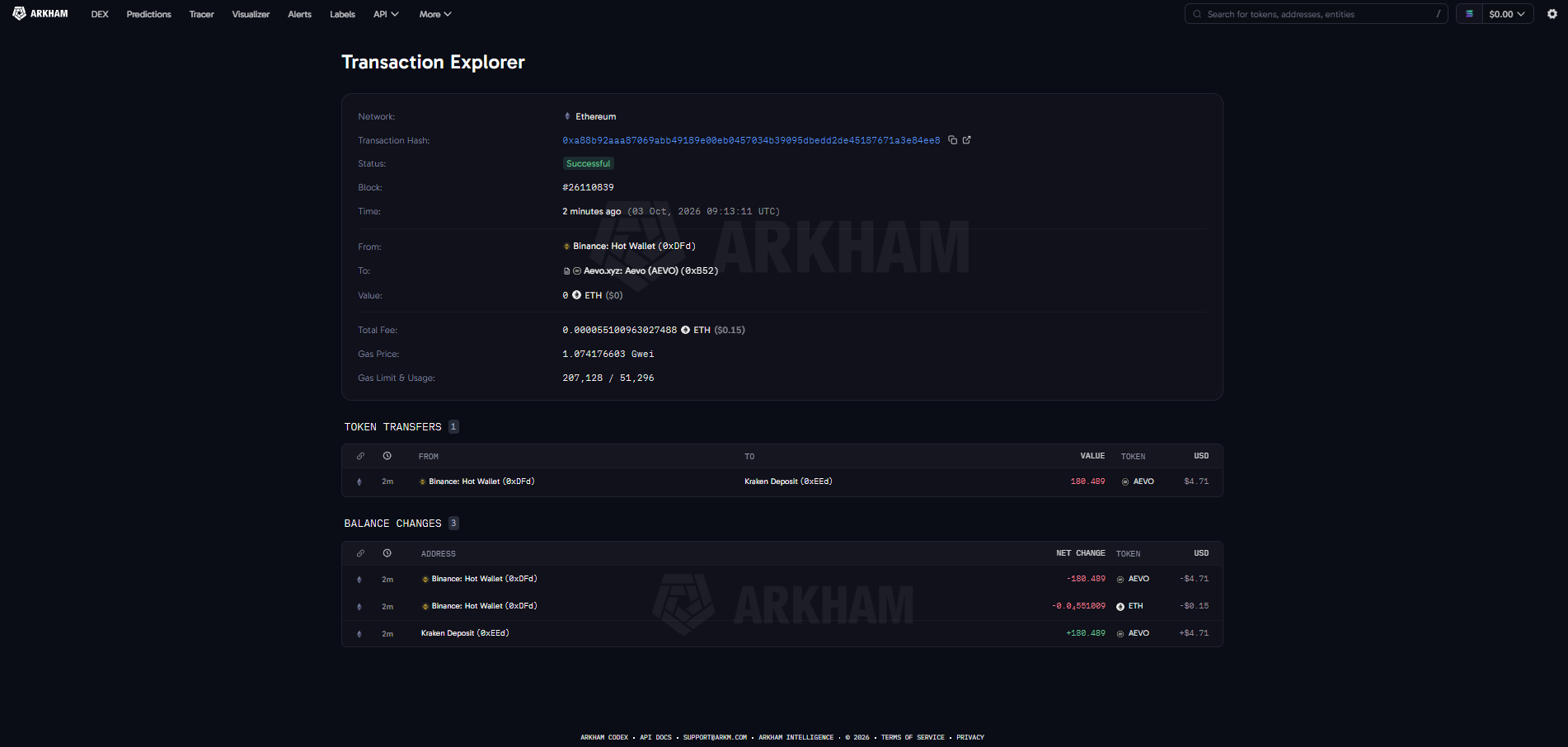
Hash and network: The Transaction Hash or TXID, below the chain it was recorded on.
Status and Block: Status shows whether the transaction succeeded, failed or is still pending, with the block number showing the height of the block that contains it. Each block added afterwards counts as one more confirmation.
From and To: The two addresses involved, shown with Arkham labels where the owner is known. In this case, the addresses involved are labelled as the Binance Hot Wallet and the Aevo token contract. Bitcoin transactions present a special case (because of UTXO), where one Bitcoin transaction can have several inputs and several outputs, with one of those outputs often representing change returned to the sender.
Value: The token amount and its dollar value.
Fee: This represents the fee spent to send the transaction. On Ethereum, this is the gas used multiplied by the price paid per unit of gas. On Bitcoin, this fee is computed by taking inputs minus the outputs.
Token transfers: For contract interactions, a list of every token movement the transaction set off. On Ethereum, these come from the Transfer events that token contracts log.
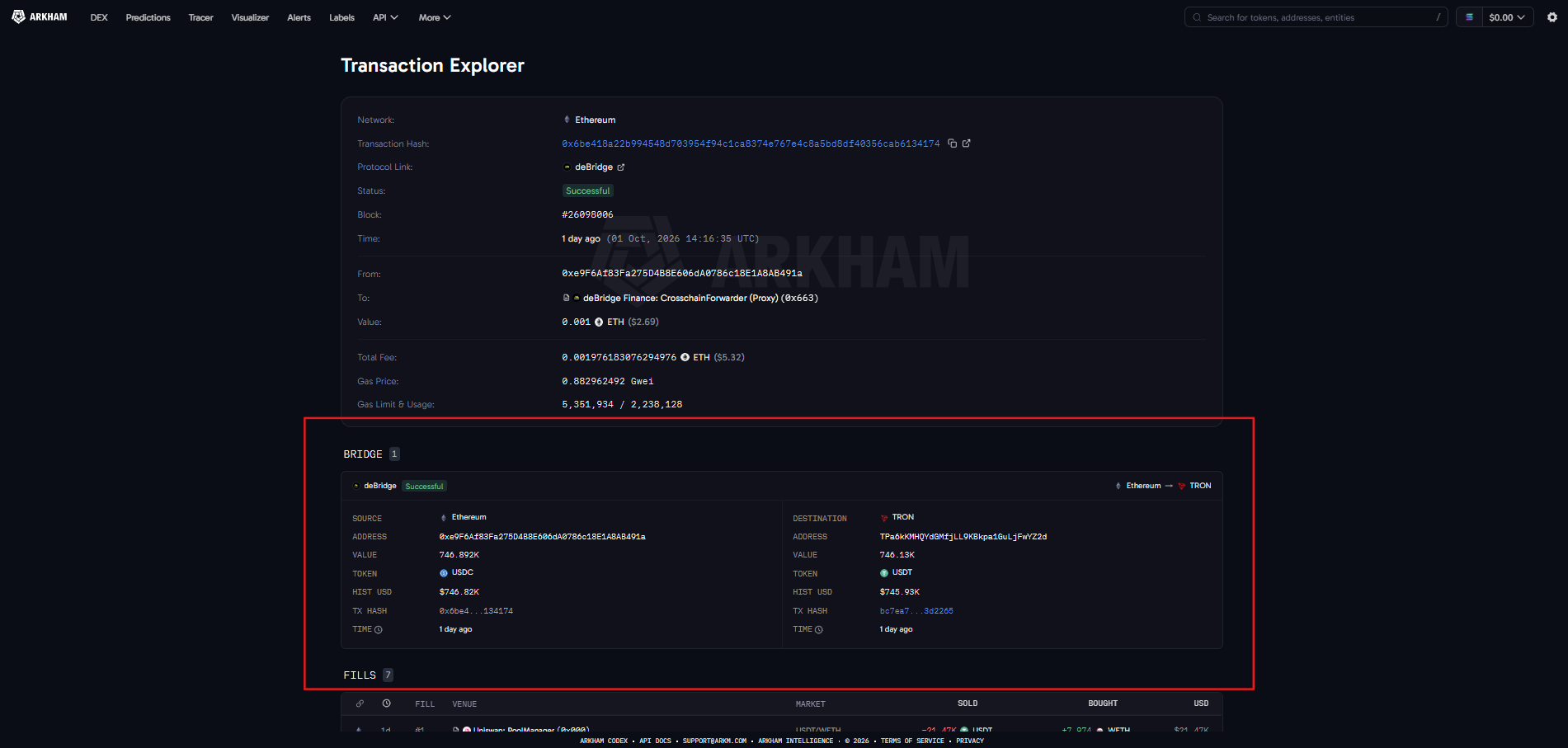
Bridge transactions deserve a separate mention. A cross-chain transfer is really two transactions on two ledgers, and the second half usually has to be found on a different explorer. Arkham recently launched full bridge transactions, which show both the source leg and the destination leg of a cross-chain transfer. Hyperunit, deBridge, Circle CCTP and Across are now supported alongside Relay, with more bridges to come.
How to Look Up a Transaction on Arkham
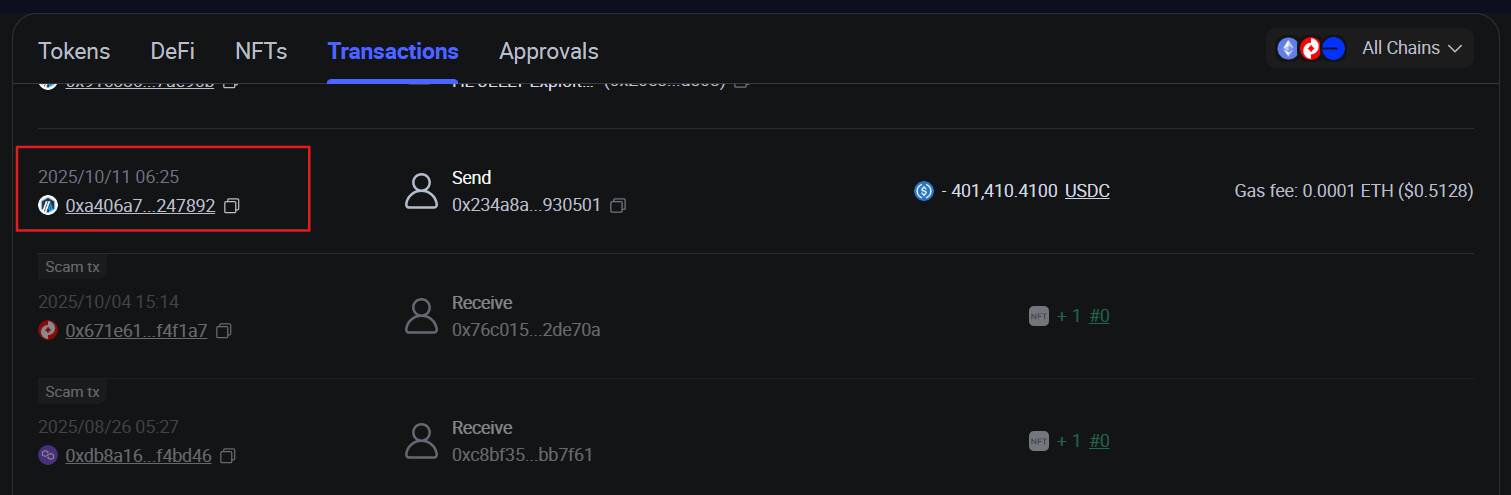
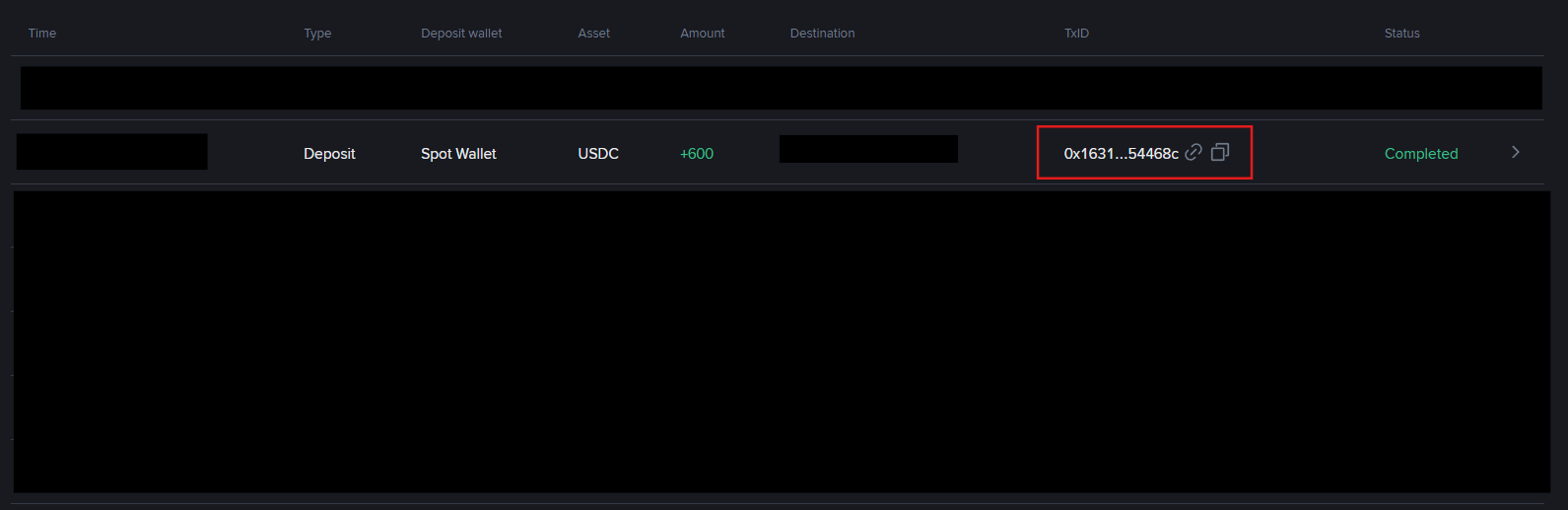
1. Get the TXID: In a self-custody wallet, open the activity or history tab, select the transaction and copy the value labelled transaction hash, Txn Hash or TXID. Most wallets also have a "view on block explorer" link that shows it. On an exchange, open the deposit or withdrawal history and expand the entry to find the same value.
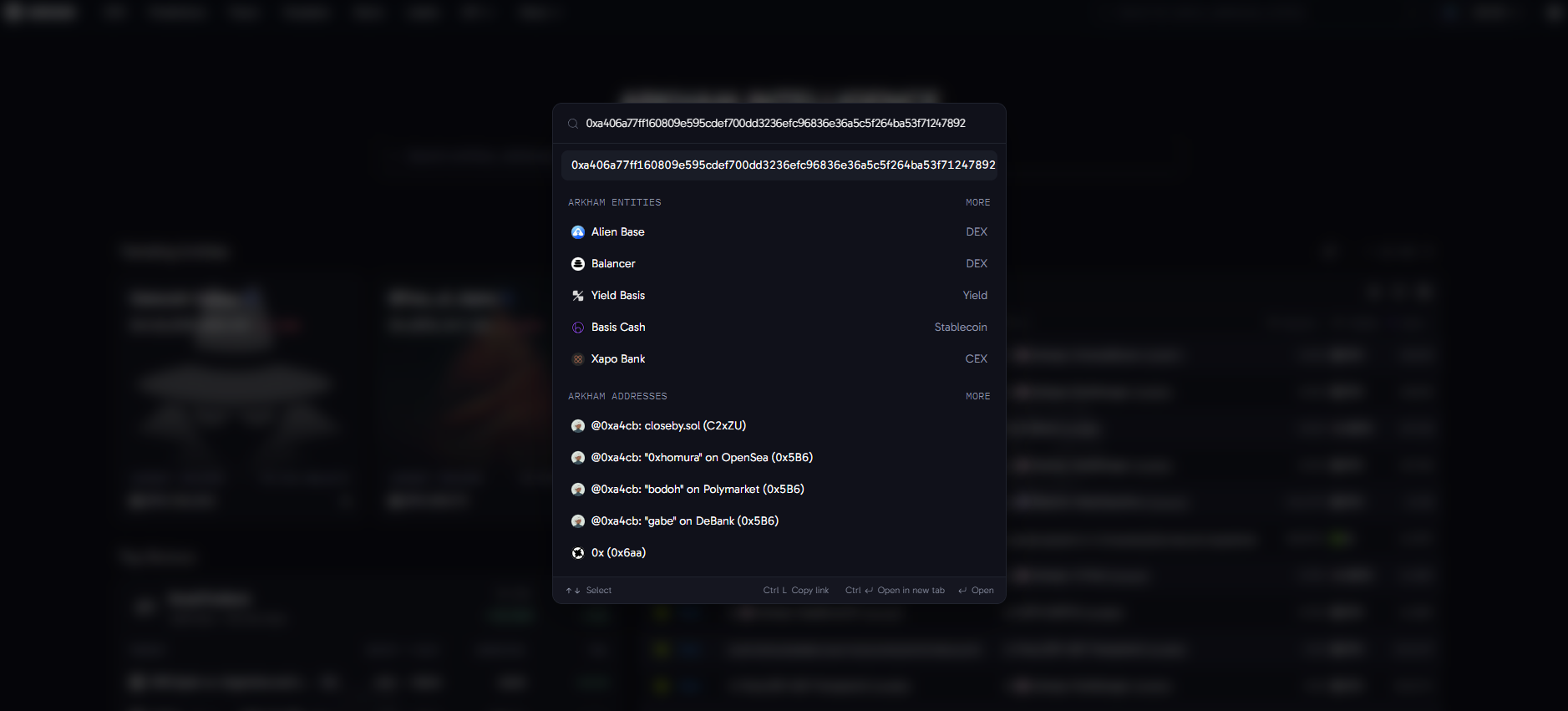
2. Paste it into the search bar at arkm.com. Arkham searches all 18 supported chains, including Bitcoin, Ethereum, Solana, Tron, Base and Arbitrum, so there is no need to work out which explorer belongs to which chain first.
3. Read the transaction page. Start with the status, because a failed transaction moves nothing even though the fee is still charged. Then check From, To, amount, fee and time against what was expected.
4. Click through to the counterparties. Selecting the sender or the recipient opens its address or entity page, which shows who is on the other side of the payment.
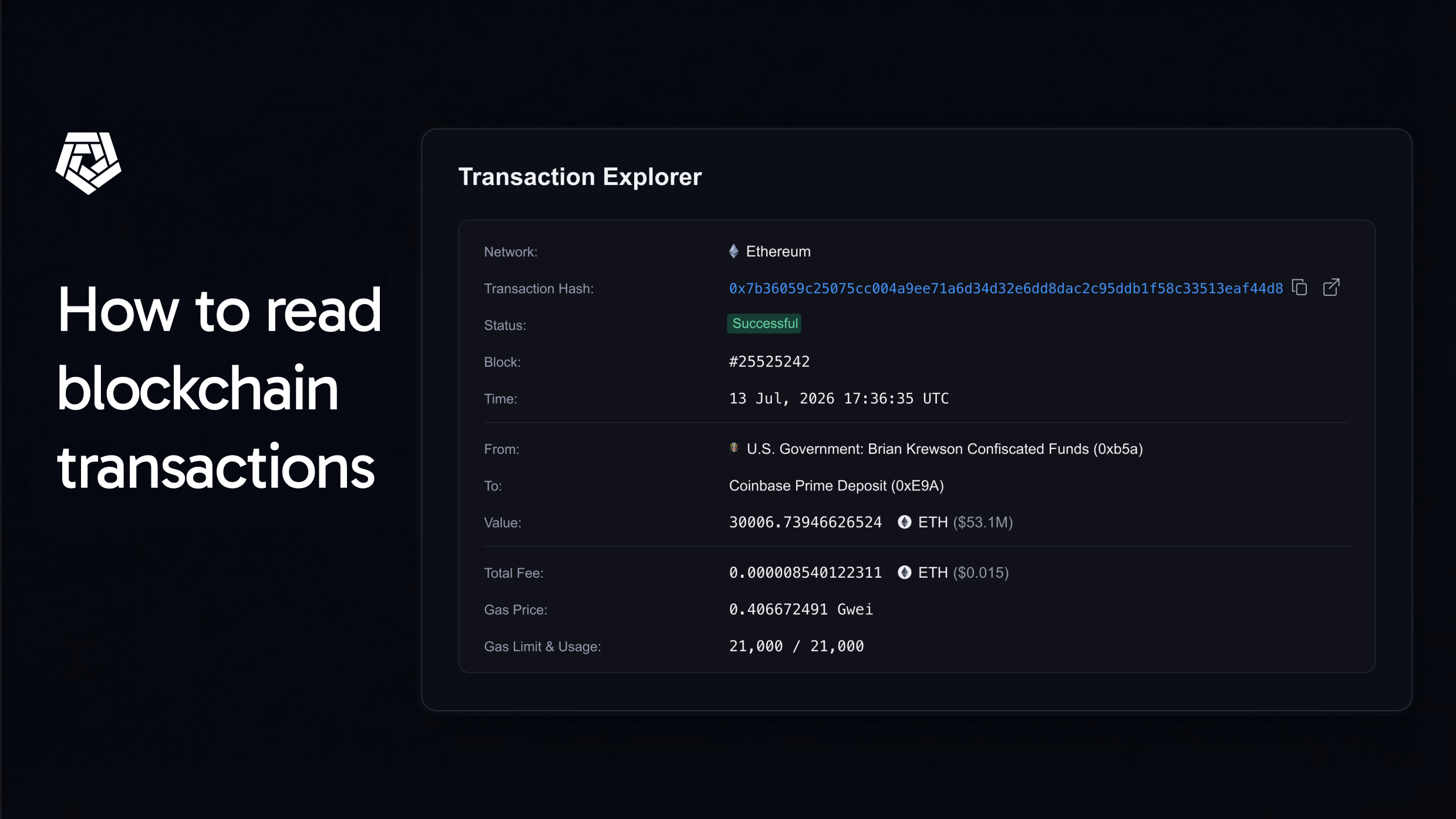
On 13 July 2026, the U.S. Government moved roughly $288 million of BTC and ETH to Coinbase Prime. One leg of that move was a transfer of about 30,007 ETH, and its transaction page is open for anyone to inspect.
Read field by field, the sender is an address labelled under Arkham's U.S. Government entity and tied to the Brian Krewson seizure. The recipient is a Coinbase Prime deposit address. The amount is roughly 30,007 ETH, worth about $53 million at the time. Without the labels, the two entities involved would just be two strings of characters, just like any other wallet address out there.
Reading Addresses and Entities, Not Just Transactions
An address is a pseudonym. On its own, it tells a reader nothing about who holds the keys. Arkham's proprietary Ultra engine groups addresses that belong to the same owner into entities and names them, storing over 7.1 billion address tags and 837,000 entity profiles as of June 2026.
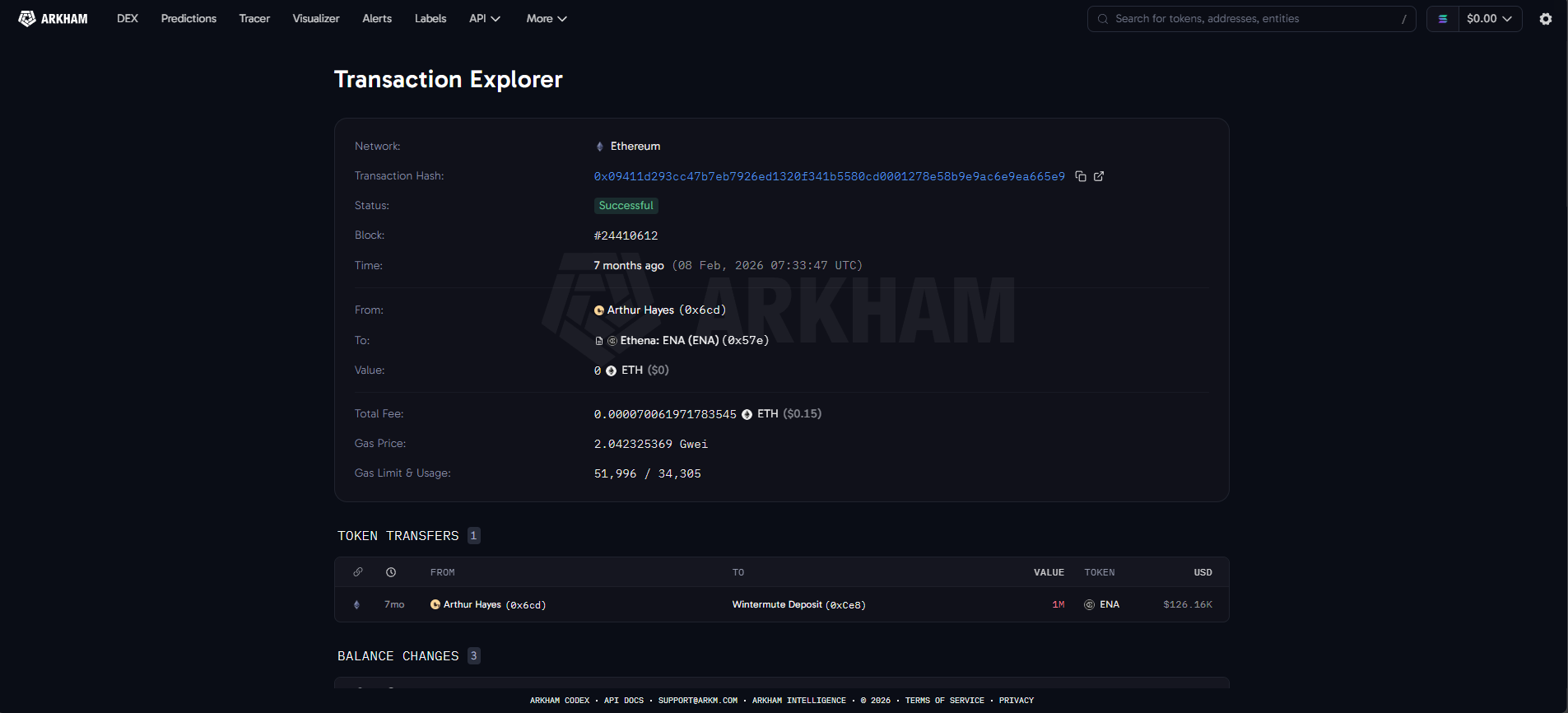
For example, instead of seeing Ethereum address 0x6cd transfer $126.16K worth in ENA tokens to 0xCe8, Arkham’s labels let you know that this is a transaction from Arthur Hayes to a Wintermute controlled deposit address.
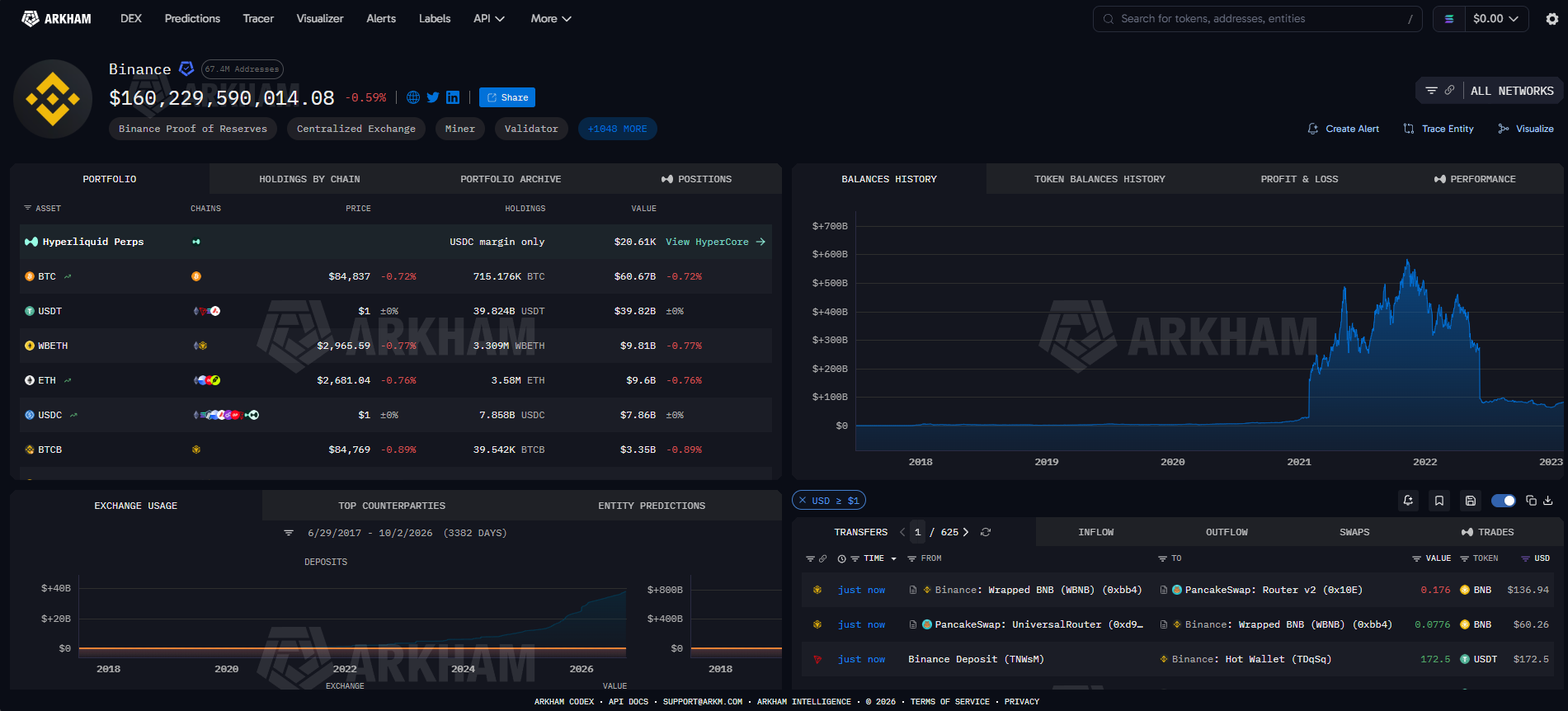
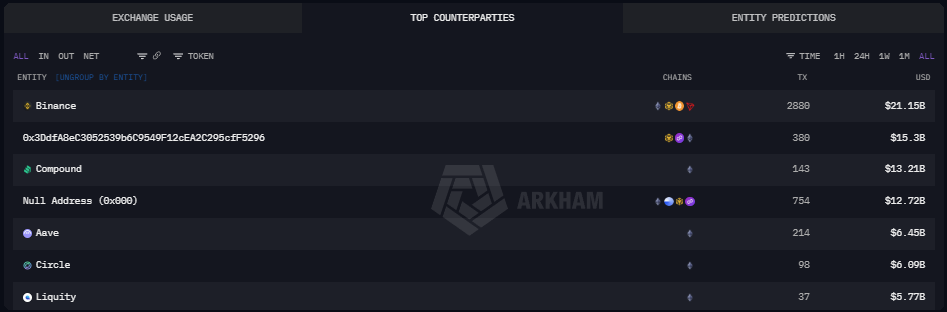
Each labelled entity has a page of its own, known as the Profiler. It is split into five units: Portfolio, Historical Performance, Counterparties, Borrows & Loans and Transactions. The Transactions unit lists every transfer across chains with its counterparty, time, token and dollar value, and it filters out transfers under $1 by default to keep spam and spoofed tokens off the page. The Counterparties unit ranks the addresses and entities that the subject transacts with most, measured by volume.
However, labels still have limits. They are attributions produced by Arkham's analysis, and plenty of addresses carry no label at all.
Visualising Transactions
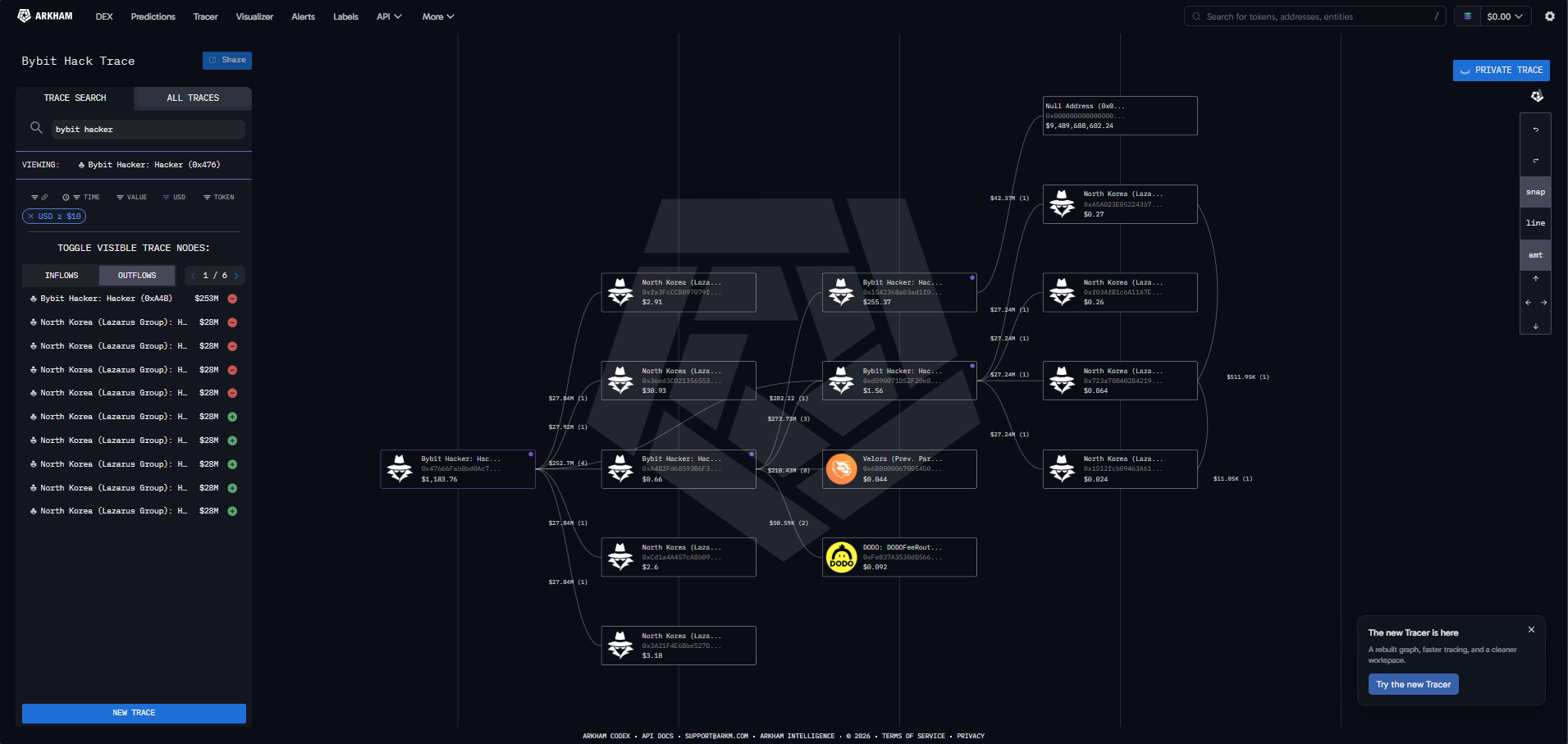
A transaction page describes one event. Arkham has two graph tools that show what happened around it, giving more context to the parties involved.
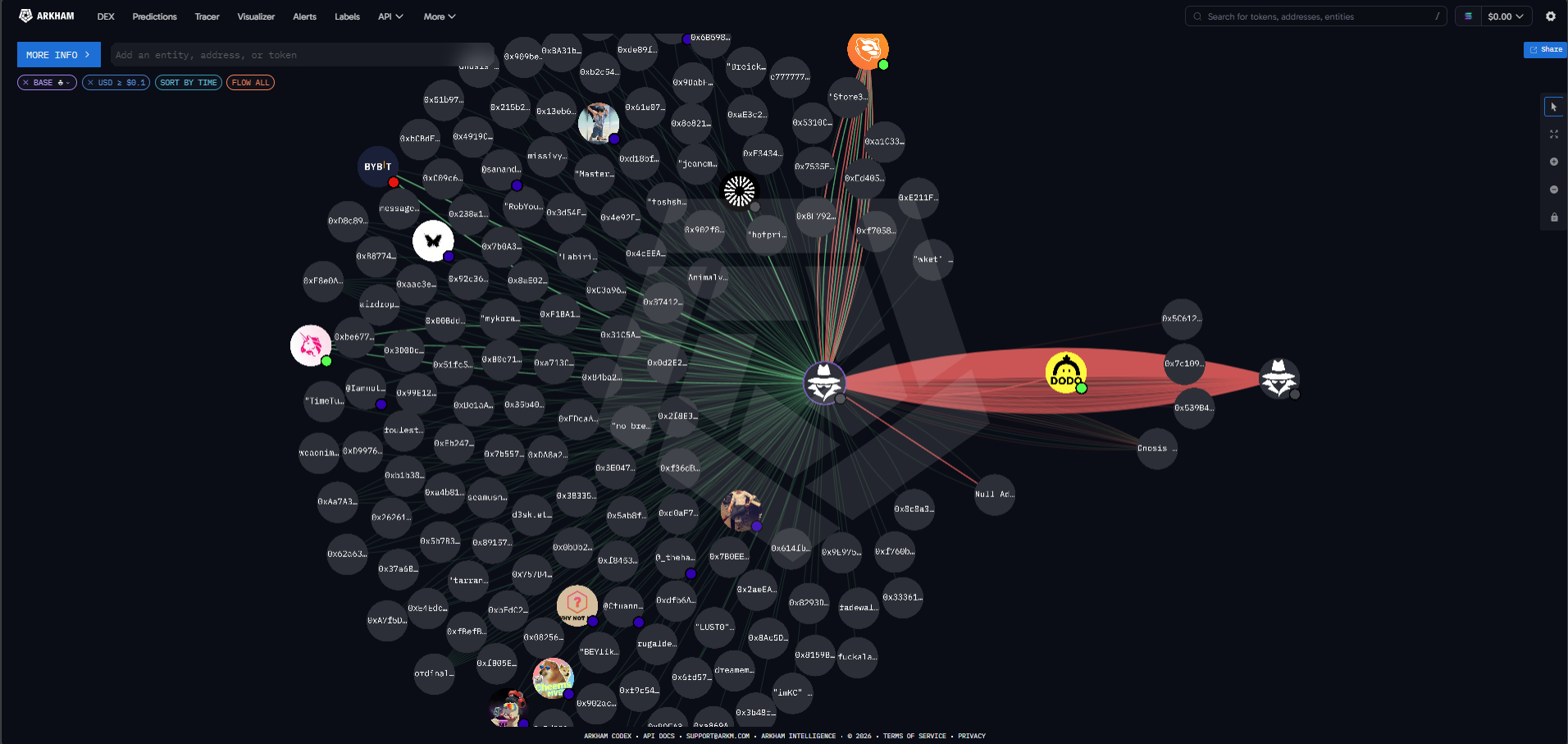
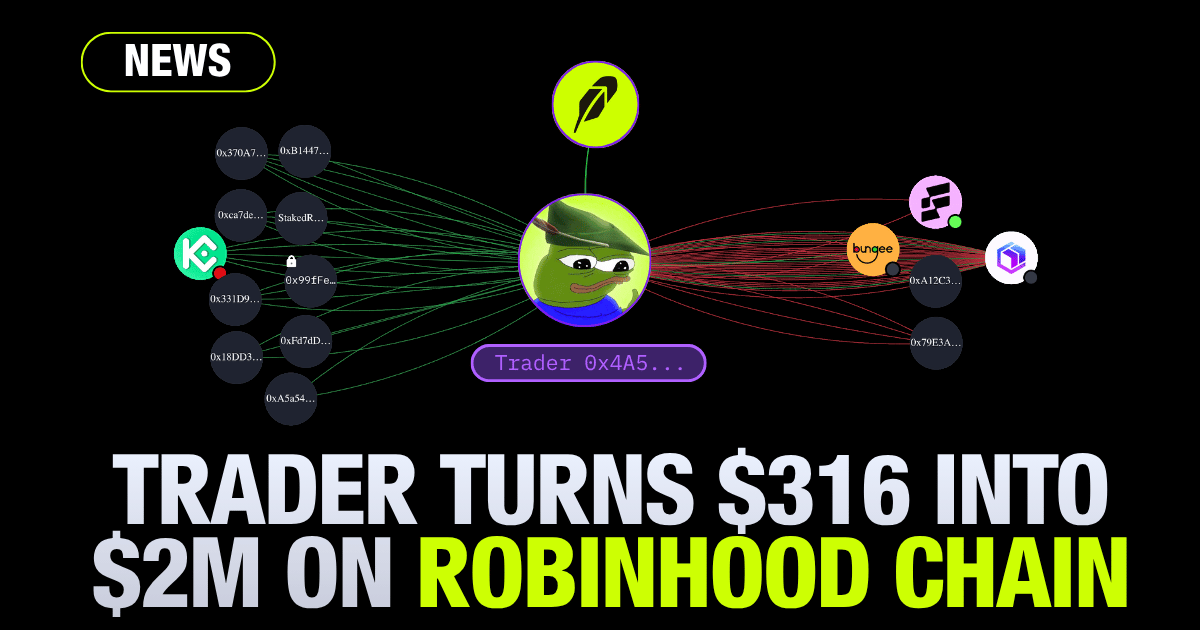
The Visualizer draws a network map for any address or entity. Each node is an address or entity, and the lines between them are coloured green for inflows and red for outflows. It suits broad questions, such as which exchanges a wallet relies on, commonly used decentralized applications, and notable counterparties.
The Tracer is built for following one flow of funds from hop to hop. A user adds an address, switches between its inflow and outflow views, adds the counterparties of interest and clicks Fetch Flows to load their activity. Clicking any line between two nodes opens the individual transactions behind it, and filters narrow the view by token, dollar value, time or chain.
Common Mistakes When Reading Transactions
Assuming funds are lost because the To address is an unfamiliar contract: With swaps and bridges, the To field usually names an intermediary such as a DEX router or a bridge contract. hink of posting a parcel to a large office. Although the parcel is addressed to the building, the mail room passes it to the right desk. The final recipient still appears in the token transfers list.
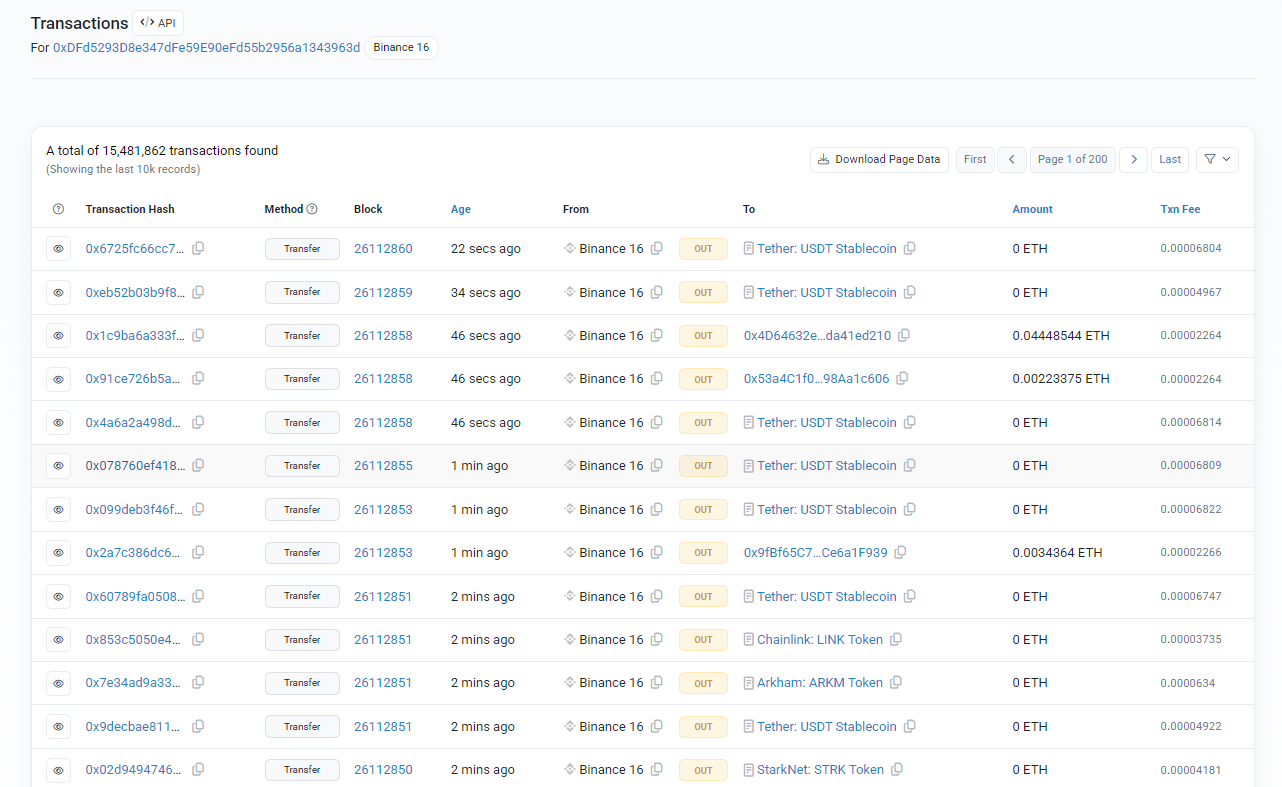
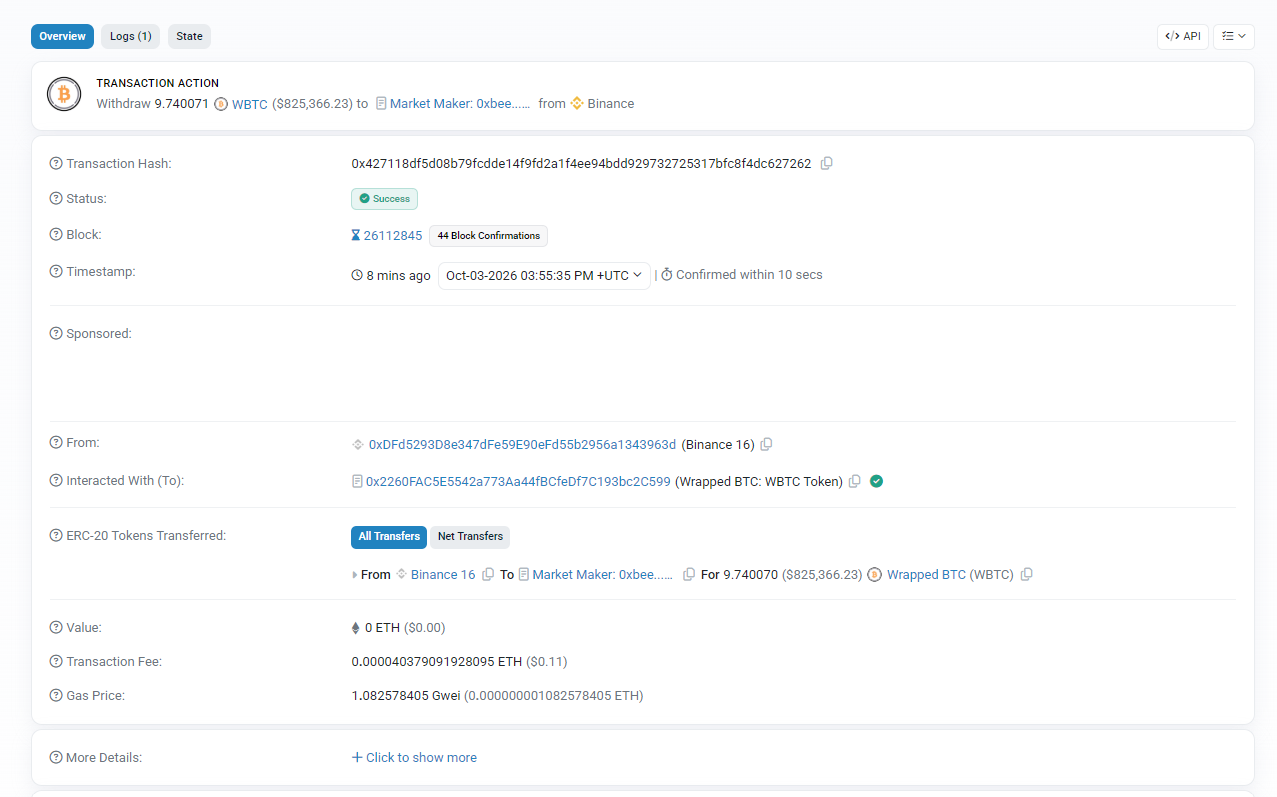
Mixing up token transfers, internal transactions and the main transfer: On most block explorers, the headline value records the amount of the native token being sent during the transaction. As a result, a large transaction involving a non-native token, such as USDT or USDC, can be read as involving 0 ETH while thousands of dollars in tokens change hands under token transfers. Token transfers record these tokens moving between addresses, while internal transactions record movements of the chain's native coin that a contract carried out while it ran, which nobody signed as a separate transaction.
Treating a pending transaction as final: A pending transaction is still waiting to be included in a block and can still be dropped or replaced. Even after inclusion, recipients tend to wait. Bitcoin's developer guide recommends six confirmations for high-value payments. Ethereum blocks are finalised after two epochs, which at 12-second slots and 32 slots per epoch comes to roughly 13 minutes.
Searching for a TXID on the wrong chain's explorer: Ethereum, Base, Arbitrum and other EVM networks share the same address and hash formats. A Base TXID pasted into an Ethereum-only explorer returns nothing, which is easy to mistake for a missing payment.
Why Read Transactions on Arkham Instead of a Basic Explorer
While single-chain explorers present the raw data accurately, Arkham adds additional value and context to these transactions.
Arkham’s multi-chain support enables users to search across all of Arkham’s supported chains, trace bridge transactions easily, and view a single address’s activity across all chains in a unified view. Most block explorers tend to only support a single chain.
Its extensive address database also resolves known wallet addresses to named exchanges, funds, projects and individuals, bringing additional context to individual transactions.
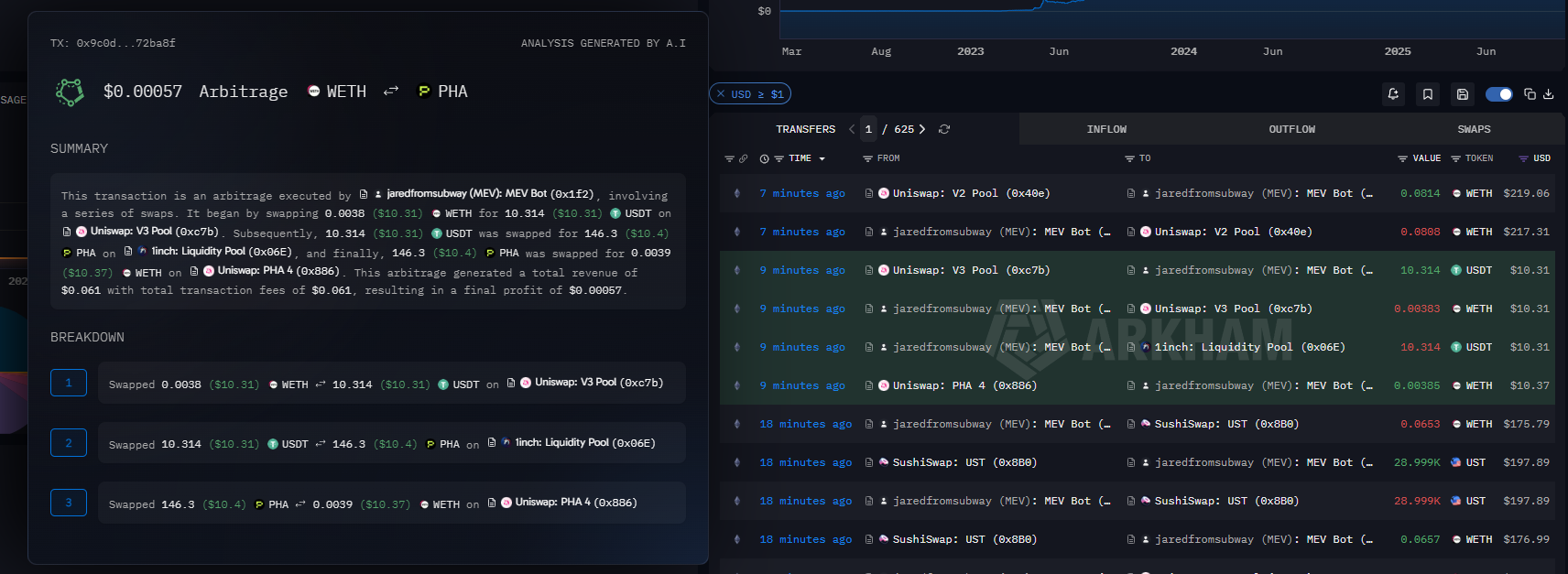
On each entity or individual’s Profiler page, the transactions list also enables an AI summary of a transaction’s impact in plain English. This feature facilitates the understanding of complex smart contract interactions or bridging transactions, which can look confusing to new users.
Conclusion
Every transaction on a public blockchain generally reduces to the same few fields: a TXID, a sender, a recipient, an amount, a fee and a status. Contract interactions add intermediaries and token transfer lists, and bridges split the record across two chains, but the reading method stays the same. Labels and graph tools then supply the context that raw addresses leave out.
If you’re looking to verify a payment on-chain, never take a payment screenshot as proof. Ask for the TXID, because anyone can verify any transaction themselves on-chain, and Arkham makes it easily readable.

.png)



.png)





.jpeg)



.jpg)


.jpeg)










.png)
.jpg)

.png)
.png)


.png)

.png)
.png)
.png)
.png)
.png)


.png)
.png)
.png)
.png)